
Zweih CS2 Settings: Crosshair, Viewmodel & Config 2026
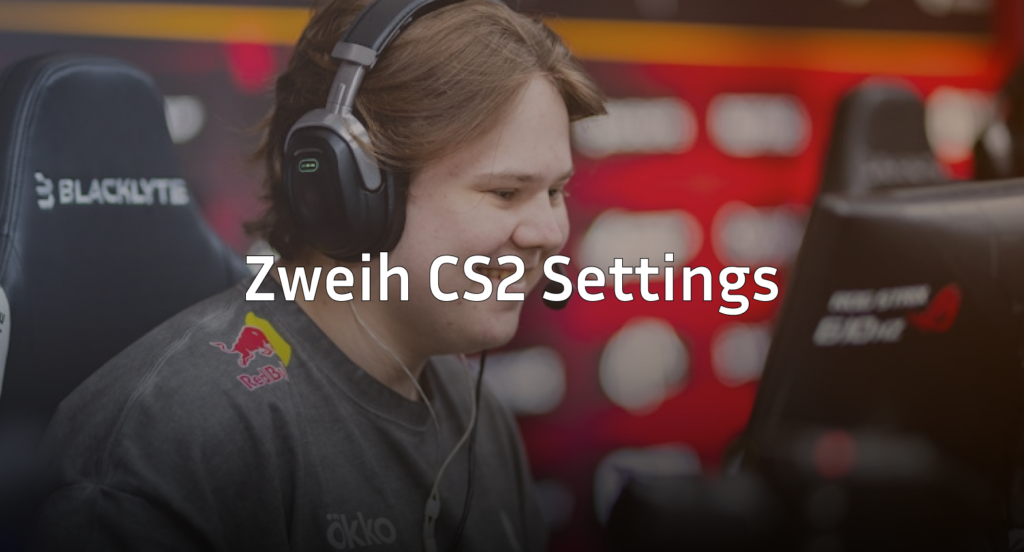
Looking to copy Zweih CS2 settings for your own gameplay? This rising talent has been turning heads in the competitive scene with crisp aim and smart positioning. Below, you’ll find his complete setup—from mouse sensitivity to video settings—so you can test these configs yourself.
Zweih’s Mouse Settings

Zweih uses a relatively low sensitivity setup, which is standard among professional players for consistent flick shots and spray control.
| Setting | Value |
|---|---|
| DPI | 800 |
| In-Game Sensitivity | 1.0 |
| eDPI | 800 |
| Zoom Sensitivity | 1.0 |
| Windows Sensitivity | 6 |
| Raw Input | On |
An eDPI of 800 sits in the mid-low range for pros. This gives you enough speed for quick 180-degree turns while maintaining the precision needed for holding angles on maps like Mirage or Inferno.
If you’re coming from a higher sensitivity, drop it gradually over a few days rather than switching cold.
Crosshair Settings
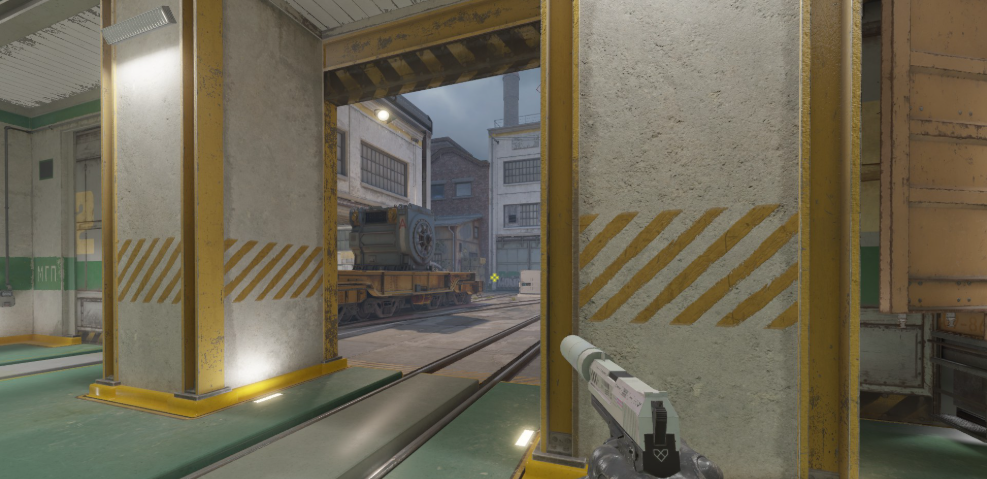
Zweih runs a static crosshair without any dynamic movement. This keeps visual clutter minimal during spray transfers.
cl_crosshairsize 1.5cl_crosshairgap -3
cl_crosshairthickness 0
cl_crosshairdot 0
cl_crosshaircolor 1
cl_crosshair_drawoutline 0
cl_crosshairstyle 4
Key features:
- Small, tight crosshair for precise headshot placement
- Green color (Color 1) for visibility against most backgrounds
- No outline keeps it clean and distraction-free
This style works best if you’ve already developed solid crosshair placement habits. For players still learning, a slightly larger gap might help with tracking spray patterns.
Viewmodel Configuration
Zweih uses a classic viewmodel position that keeps the weapon model out of his sightlines.
viewmodel_fov 68viewmodel_offset_x 2.5
viewmodel_offset_y 0
viewmodel_offset_z -1.5
viewmodel_presetpos 3
cl_righthand 1
The 68 FOV is the maximum allowed in competitive play. Combined with the offset values, this pushes the AK-47 and other rifles to the bottom-right corner of your screen, maximizing your visible play area.
Video Settings

Performance matters more than visuals in competitive CS2. Zweih’s video config prioritizes high frame rates over eye candy.
| Setting | Value |
|---|---|
| Resolution | 1280×960 |
| Aspect Ratio | 4:3 Stretched |
| Display Mode | Fullscreen |
| Boost Player Contrast | Enabled |
| V-Sync | Disabled |
| Multisampling | 4x MSAA |
| Global Shadow Quality | Medium |
| Model/Texture Detail | Low |
| Shader Detail | Low |
| Particle Detail | Low |
| Ambient Occlusion | Disabled |
Why 4:3 stretched? Player models appear wider, making targets easier to track horizontally. The tradeoff is reduced peripheral vision, but most pros consider this worthwhile.
For deeper optimization tips, check out our CS2 video settings guide.
Launch Options
Zweih keeps his launch options minimal—Valve has optimized most settings internally in CS2.
-novid -tickrate 128- -novid skips the intro video for faster game startup
- -tickrate 128 ensures offline practice matches run at competitive tick rates
Avoid cluttering launch options with outdated commands. Most legacy CSGO tweaks no longer function in CS2.
Keybinds Worth Noting
While most of Zweih’s binds are standard, a few quality-of-life adjustments stand out:
| Action | Key |
|---|---|
| Jump Throw | Mouse4 |
| Quick Switch | Q |
| Inspect Weapon | F |
| Voice Chat | V |
A jump throw bind is essential for consistent utility lineups. If you’re practicing smokes and flashes, this single bind will improve your consistency dramatically.
How These Settings Compare
Zweih’s config shares similarities with other pros who favor precision over speed. His eDPI of 800 matches players like those featured in our NiKo CS2 settings breakdown, though crosshair preferences vary significantly between players.
If you’re experimenting with different setups, also consider checking shroud CS2 settings for a comparison with a more aim-heavy, content-focused playstyle.
Should You Copy These Settings?
Use Zweih’s settings as a starting point, not a final destination. Professional configs work because those players have thousands of hours building muscle memory around specific values.
Start with his sensitivity and crosshair, then adjust based on:
- Your mousepad size
- Your monitor’s refresh rate
- Your natural aiming style (wrist vs. arm)
Give any new setup at least a week before judging it. Aim trainers and deathmatch servers are perfect for breaking in unfamiliar settings.
Final Thoughts
Zweih’s CS2 settings emphasize clean visuals, low sensitivity, and maximum performance. The 4:3 stretched resolution combined with an 800 eDPI creates a setup built for precision rifle play and consistent spray control.
Copy the config, test it in competitive matches, and tweak what doesn’t feel natural. And while you’re upgrading your gameplay, browse CS2 skins to make your loadout look as sharp as your aim.